Siemens 6ES7 PLC modules are used in many industrial automation systems, including machine tools, production lines, packaging machines and process equipment. When a PLC module fails, replacement is not only a hardware task. The maintenance team should confirm the full order number, module type, hardware version, firmware, wiring position and program backup before replacing the part.
Key Takeaways
- The full Siemens 6ES7 order number is required before replacement.
- Hardware version, firmware and module type can affect compatibility.
- PLC program backup should be confirmed before replacing CPU or control modules.
- Wiring and terminal positions must be documented before removal.
- A clear nameplate photo helps suppliers check the correct Siemens PLC spare part.
This checklist is written for purchasing and maintenance teams who need Siemens S7 PLC spare parts, especially 6ES7 modules. It also helps suppliers check the correct replacement and avoid delays caused by incomplete information.
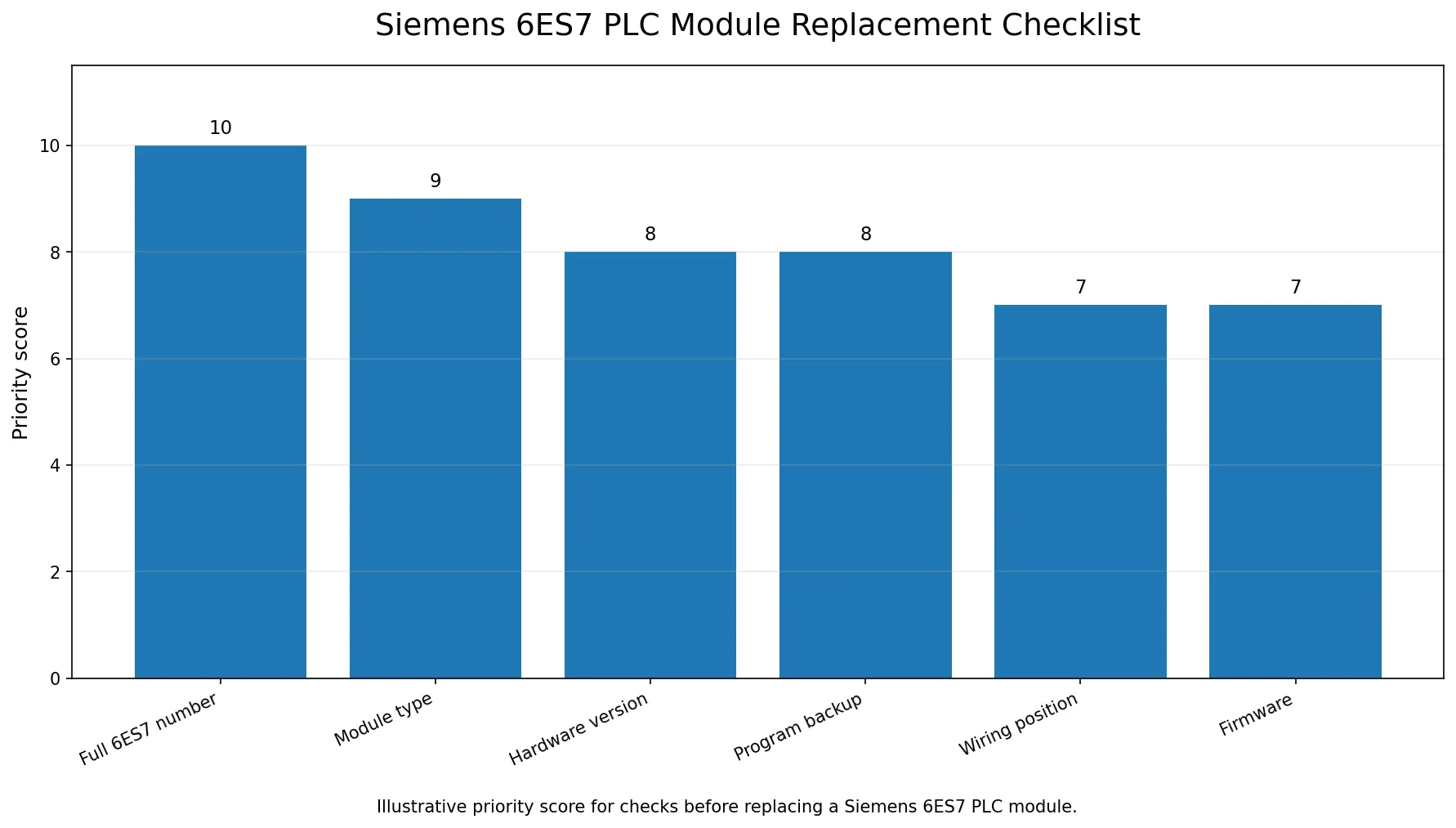
1. Confirm the full Siemens 6ES7 order number
The most important item is the full Siemens order number. Many Siemens PLC modules begin with 6ES7, but that prefix alone is not enough. The complete number may include groups that identify the product family, module type and version.
Record the full number exactly as printed on the module label. If the label is unclear, take several photos from different angles. Do not guess missing characters.
A request such as "need Siemens 6ES7 module" is too broad. A request such as "please check Siemens 6ES7xxx-xxxxx-xxxx, nameplate attached" is much more useful.
2. Identify the module type
Siemens 6ES7 PLC Module Quick Reference
| Module Type | What to Confirm | Buying Note |
|---|---|---|
| CPU module | Order number, firmware, memory card, program backup | Do not replace before backup check |
| Digital input module | Order number, voltage, channel count, wiring | Confirm terminal and slot position |
| Digital output module | Output type, voltage, load, wiring | Check connected field devices |
| Analog module | Signal type, range, wiring | Confirm configuration and calibration requirements |
| Communication module | Interface type, firmware, network setting | Check configuration and address settings |
| Power supply module | Voltage and current rating | Confirm system power requirements |
Before replacement, confirm whether the module is:
- CPU module
- Digital input module
- Digital output module
- Analog input module
- Analog output module
- Power supply module
- Communication processor
- Interface module
- Special function module
Siemens official documentation can help maintenance teams understand module data and technical specifications. For example, the Siemens S7-300 Module Data manual contains technical information for S7-300 modules, and the CPU 31xC and CPU 31x technical specifications manual provides CPU-related details.
3. Record hardware version and firmware
For PLC modules, a similar order number may not be the only compatibility point. Hardware version and firmware can also matter, especially when replacing CPU or communication modules.
Record:
- Hardware version
- Firmware version
- Existing configuration
- Slot position
- Rack information
- Memory card information if applicable
If the replacement is for a CPU, do not remove the old unit before confirming program backup and recovery method.
4. Backup the PLC program before replacement
Before replacing a Siemens PLC CPU or related control module, make sure the PLC program and parameters are backed up by qualified personnel. A hardware replacement without a valid program backup may cause longer downtime than the original failure.
PLC software maintenance is a serious topic in automation systems. Academic research on challenges for maintenance of PLC software and automated production systems discusses how automation software maintenance differs from ordinary software because it is tied to machines, variants and long equipment lifecycles. This supports a practical maintenance rule: do not treat a PLC module as only a physical spare part; protect the program and configuration as well.
5. Check wiring and terminal blocks
Before removing a Siemens 6ES7 module, document the wiring and terminal position. Take photos before disconnecting anything. Label wires if needed.
Check:
- Terminal block position
- Wire numbering
- Slot number
- Power supply connections
- Shielding and grounding
- Field device connections
- Whether a removable front connector is used
A wiring mistake can create a new fault even if the replacement module is correct.
6. Match replacement condition with machine urgency
For Siemens 6ES7 PLC spare parts, possible options may include new original, used, refurbished or repair depending on model and availability. The best choice depends on:
- How urgent the machine downtime is
- Whether new stock is available
- Machine age
- Budget
- Whether a tested used unit is acceptable
- Whether repair time is acceptable
For urgent downtime, available stock is often more important than the lowest price. For non-urgent maintenance, buyers may compare more options.
Common Mistakes When Replacing Siemens 6ES7 PLC Modules
- Searching only by "6ES7" without the full order number
- Ignoring hardware version and firmware
- Removing a CPU before confirming program backup
- Forgetting to photograph wiring and terminal positions
- Replacing a similar-looking module without checking configuration
Related Siemens Spare Parts Series
| Series | Common Description | Link |
|---|---|---|
| 6ES7 | SIMATIC S7 PLC modules | Siemens SIMATIC S7 PLC module references |
| 6AV | SIMATIC HMI panels | Siemens SIMATIC HMI panel references |
| 6SN | SIMODRIVE and CNC drive modules | Siemens SIMODRIVE and CNC drive module references |
| 6FC | SINUMERIK CNC parts | Siemens SINUMERIK CNC part references |
| 6SL | SINAMICS drive modules | Siemens SINAMICS drive module references |
7. Keep control system security in mind
Modern PLC systems are part of operational technology environments. Replacement and program handling should be controlled to avoid configuration loss, unauthorized changes or security risk. NIST provides guidance for OT systems, including PLC-related industrial control environments, in NIST SP 800-82 Rev. 3.
PLC security research also shows that programmable logic controllers are important targets in industrial environments. For broader academic context, see the research overview SoK: Security of Programmable Logic Controllers. For a purchasing checklist, this means program files, backups and access should be handled carefully, not casually sent or modified.
8. What to send before requesting a quotation
To help VCOCNC check Siemens 6ES7 PLC modules faster, send:
- Full 6ES7 order number
- Nameplate photo
- Module type
- Hardware version
- Firmware version if available
- Quantity
- Machine or system application
- Delivery country
- Required condition
- Urgency
A simple message:
"Hello, please help check Siemens 6ES7 PLC module. Full model is ___. Nameplate photo is attached. We need ___ pcs, shipping to ___. Please quote price, condition and lead time."
Related reading for Siemens PLC replacement
These related resources can help buyers prepare the right Siemens PLC module information before quotation:
- What information should be recorded before buying CNC spare parts
- Siemens industrial automation spare parts
- Contact VCOCNC
FAQ
Is the 6ES7 prefix enough to identify a Siemens PLC module?
No. 6ES7 is only the prefix. The full Siemens order number, hardware version and module type should be checked before replacement.
Why is program backup important before replacing a Siemens PLC CPU?
A CPU replacement without a valid program backup can cause longer downtime than the original hardware failure.
What photos should I send for a Siemens 6ES7 quotation?
Send the nameplate photo, front photo, cabinet installation photo and any visible hardware or firmware version labels.
Can I replace a Siemens 6ES7 module with a similar model?
Do not assume compatibility from a similar number. Confirm the full order number, hardware version, firmware and system configuration.
Is program backup necessary before replacement?
Yes, especially for CPU or control-related modules. Hardware replacement without program backup can create longer downtime.
What photo should I send for a Siemens PLC module quotation?
Send a clear nameplate photo, front photo and cabinet installation photo. If the module has a visible hardware version or firmware label, include that too.
Does VCOCNC supply Siemens PLC spare parts?
VCOCNC can help check Siemens PLC modules and other industrial automation spare parts. Send the full 6ES7 model number or nameplate photo for checking.
Conclusion
A Siemens 6ES7 PLC module replacement should start with careful identification. Record the full order number, module type, hardware version, firmware, wiring position and program backup status before buying or replacing the module. This reduces quotation errors and helps the maintenance team restore the machine safely.
Send your Siemens 6ES7 module number or nameplate photo to VCOCNC. We can help check availability, condition and shipping options.